Elevate Your Brand with Editable Shipping Packaging
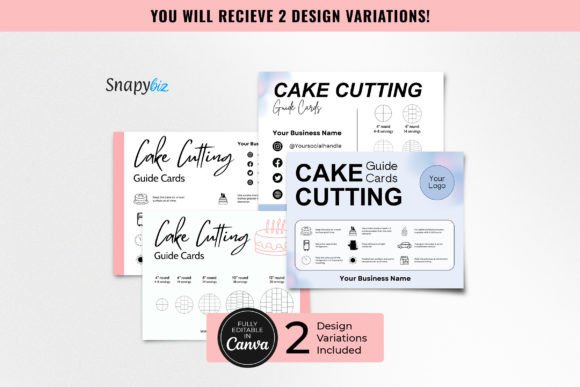
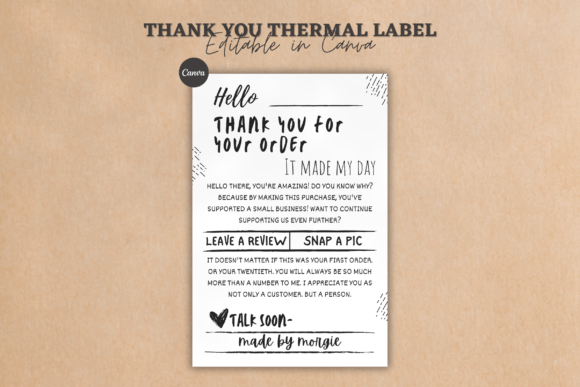
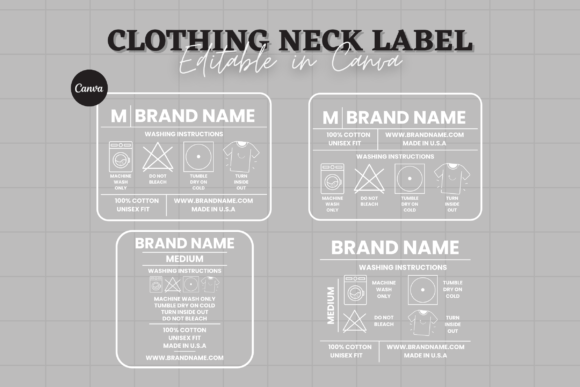
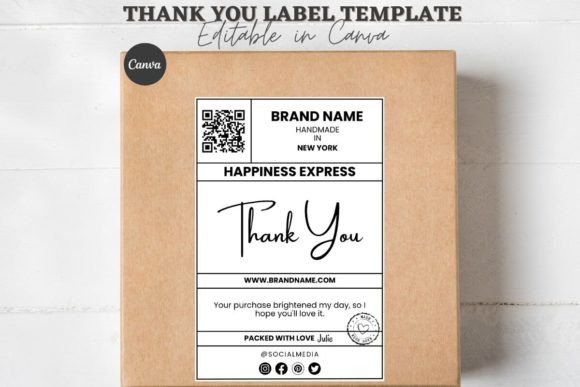
First impressions in e-commerce aren't made at checkout; they are made at the doorstep. The moment a customer receives their package, they form an opinion about your brand's attention to detail and professionalism. This is where your shipping materials transition from mere logistics to a powerful branding tool. Our Editable Shipping Packaging Canva Label templates are designed for this critical moment. They are not just stickers; they are a suite of cohesive design assets that transform a generic cardboard box into a curated brand experience. The visual style is clean, modern, and versatile, offering a foundation for both minimalist elegance and bold, eye-catching statements.
The appeal of these templates lies in their balance of structure and flexibility. As a creative font and design system, it provides a professional typographic hierarchy out of the box. You’ll find a thoughtful mix of sans serif font options for clarity and a display font or script font accent for personality. This combination allows you to create a clear visual hierarchy on your packaging design, guiding the customer’s eye from the shipping information to a heartfelt thank you note. The overall personality is one of curated care—professional enough to build trust, yet personal enough to foster connection. It’s the difference between receiving a parcel and receiving a gift from a brand you love.
Practical Applications Beyond the Box
While optimized for box packaging stickers and box seal stickers, the utility of this editable system extends across your entire brand touchpoints. The core design principles are highly transferable, making it a valuable asset for any small business owner or content creator. Consider using the same design language for:
- Social Media Graphics: Create cohesive Instagram Stories or Pinterest pins that announce a sale or showcase a new product, using the same color palette and font pairings from your shipping labels.
- Print Collateral: Adapt the thank you note design for physical inserts, business cards, or loyalty cards. The editable format ensures perfect consistency between your digital and print brand identity.
- Web Design Elements: Extract the color codes and font styles to inform the design of your website's banner, call-to-action buttons, or promotional pop-ups.
This approach streamlines your workflow and reinforces brand recognition. When a customer sees the same thoughtful design on their package, your Instagram feed, and your website, it creates a seamless and memorable experience. It’s a practical application of modern typography and branding strategy that doesn’t require a design degree to implement.
Making It Work: A Guide to Customization
The true power of this Canva template is its editability. However, effective customization requires a strategic approach. The goal is to infuse your brand’s personality without sacrificing the template’s inherent professionalism and readability. Here’s how to approach it:
Evaluating Fit and Starting with Brand Assets
Before you dive in, have your brand assets ready. Your logo, primary and secondary brand colors, and chosen brand fonts are your starting point. The template is a canvas, not a finished piece. Begin by uploading your logo and replacing the placeholder text with your business name. This single step instantly personalizes the design. Then, use the color picker tool to match the template’s accents to your brand’s color palette. This ensures the box labels feel intrinsically yours.
Font Pairing and Readability Considerations
The templates come with suggested font pairing, which is a great starting point. However, if you wish to use your own brand fonts, do so thoughtfully. A common principle is to pair a serif font with a sans serif font, or a handwritten font with a clean sans serif, to create contrast and hierarchy. For shipping labels, prioritize readability above all. The customer needs to quickly find the return address and their name. Use your most legible font for this critical information. Decorative or script fonts should be reserved for accent text like “Thank You” or a short brand slogan.
Testing and Finalizing Your Design
Never design in a vacuum. Once you’ve customized your label, print a test sheet on standard paper. Cut it out and place it on an actual shipping box. Does it adhere well? Is the text large enough to read from a comfortable distance? Check the contrast between text and background—light gray text on a white background may look sleek on screen but can be illegible in a dimly lit hallway. This practical test is invaluable. Finally, remember that you’re working with a printable file. Ensure your Canva account is set to CMYK color mode if you’re sending it to a professional printer, or use the recommended PDF print download settings for home printing to get the best color accuracy.
By treating these templates as a flexible design system rather than a static product, you unlock their full potential. They become a cornerstone of your brand identity, a practical tool for editorial design in your marketing, and a key component in delivering a consistent, professional, and engaging customer experience. Start with one template, master the customization process, and watch how it elevates every unboxing into a moment of brand connection.